
The Ultimate Guide to Mastering WigglyPaint's Color Palettes
Unlock the full potential of your art! Learn how to use WigglyPaint color palettes, find color codes, and master the Pro Palette for stunning animated drawings.

WigglyPaint has captured the hearts of artists and creators with its unique animated brushes and charmingly simple interface. There’s a certain magic to watching your lines wiggle and dance, bringing a sense of life to your creations that static drawing tools can’t replicate. But as you spend more time with this delightful tool, you may find yourself bumping against a creative wall. That initial charm can give way to a common frustration: the limited color palette.
You’re not alone in this struggle. The WigglyPaint community has been vocal about this limitation. On Reddit, one frustrated user expressed their feelings bluntly: “i hate that i can only use 3 colors in that abominable website.” Another artist on Twitter noted the creative constraints: “note: woman in the picture with joe is supposed to be crystal, color pallet limitations.” On the itch.io forums, users have been actively seeking solutions, asking “how could I go about adding hexadecimal fields into the option card and corresponding color selectors on the canvas card? That way I’m not limited to three colors per drawing.”
If you’ve ever found yourself thinking, “I love the wiggle, but I desperately need more colors!” then this comprehensive guide is for you. We’ll take you on a journey from the hidden potential of the free version to the ultimate creative freedom offered by the Pro Palette. We’ll explore how to access more colors, customize your palettes, and apply a little color theory to make your artwork truly shine. Get ready to transform your WigglyPaint experience from limited to limitless.
The Psychology of Color in Art: Why More Colors Matter
Before we dive into the “how,” let’s briefly touch on the “why.” Color is one of the most powerful tools in an artist’s arsenal. It’s not just about making things look pretty; it’s about conveying emotion, creating a mood, and telling a story. Research has consistently demonstrated the profound impact of color on human psychology and behavior.
According to research published in the Journal of Experimental Psychology, colors have measurable effects on emotions, with different hues triggering distinct psychological responses. A comprehensive review on color and psychological functioning found that viewing certain colors can influence everything from mood to performance on cognitive tasks. In the context of visual arts, color psychology research has shown that artists deliberately use color to evoke specific emotional responses in viewers.
As design experts at the Nielsen Norman Group explain, “Color is one of the most important and influential tools a designer has. In designs, it can set the brand tone and influence its image, draw users’ attention.” A bright, vibrant palette can evoke feelings of joy and energy, while a dark, muted one can create a sense of mystery or melancholy. The ability to choose your colors deliberately is what separates a simple doodle from a work of art.
By expanding your color palette in WigglyPaint, you’re not just getting more options; you’re unlocking a new level of artistic expression. You’ll be able to create more nuanced and sophisticated artwork, and you’ll have the freedom to bring your unique vision to life, exactly as you imagine it.
Unlocking the Hidden Power of the Free Version
While the Pro Palette offers the ultimate color experience, the free version of WigglyPaint has more to offer than meets the eye. The key to unlocking this potential is the OPTIONS button, located below the canvas. This menu is your gateway to a world of color customization, and it’s available to all users, free of charge.
Exploring the 27 Free Preset Palettes
Inside the OPTIONS menu, you’ll discover a treasure trove of 27 free preset palettes. Each of these palettes has been carefully curated to provide a unique and harmonious color scheme. With a single click, you can instantly change the background, foreground, and marker colors, allowing you to experiment with a wide range of moods and styles. Take some time to explore these presets; you might be surprised by what you find!
These preset palettes are more than just random color combinations. They’re designed with color harmony principles in mind, ensuring that the colors work well together and create a visually pleasing result. Whether you’re looking for a soft, pastel palette for a gentle illustration or a bold, high-contrast scheme for a dramatic piece, you’ll find options that suit your needs.
Mastering Custom Colors with Hex Codes
For those who crave more precise control, the OPTIONS menu also allows you to input hexadecimal color codes. This is a game-changing feature that directly addresses the common search for “wigglypaint color codes.” A hex code is a six-digit code that represents a specific color in the RGB color space. By entering a hex code (e.g., #FF5733 for a vibrant orange-red), you can fine-tune any color in your current palette. This is perfect for matching brand colors, creating fan art with accurate character colors, or simply bringing your unique vision to life with the exact shades you desire.
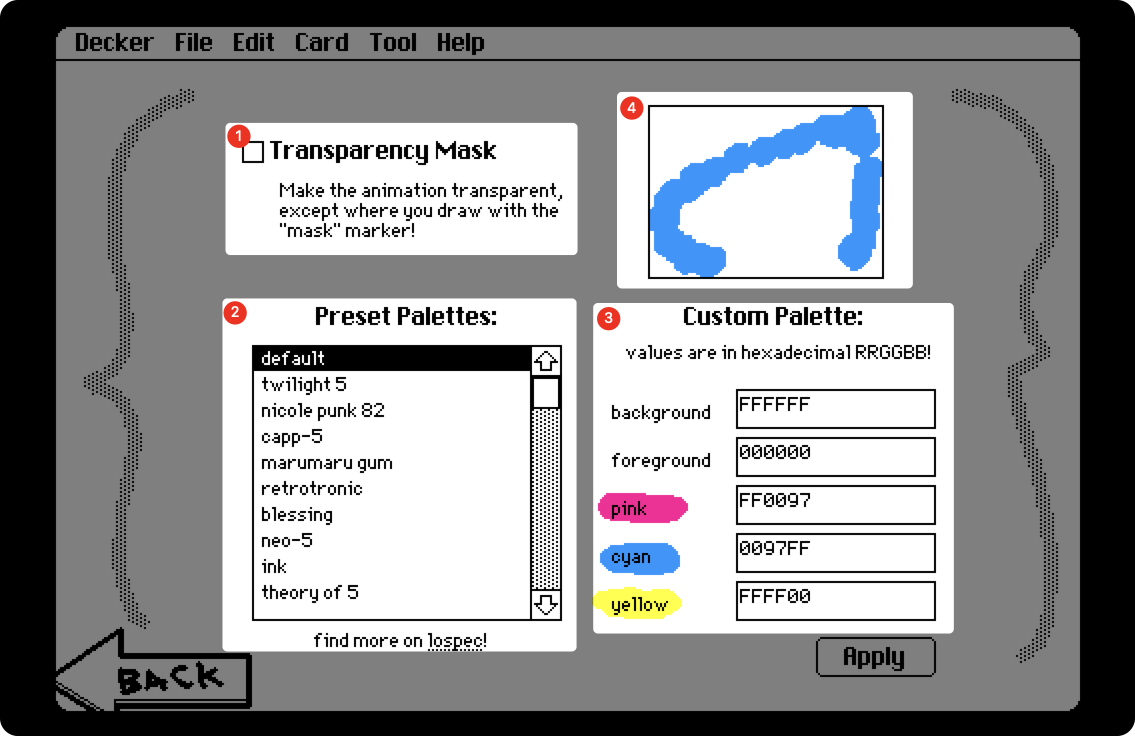
Here’s a comprehensive tutorial on how to use hex codes in WigglyPaint:
- Click the OPTIONS button below the canvas to open the color settings menu.
- In the “Adjust Color Values” section, you’ll see input fields for the background, foreground, and marker colors. Each field can accept a hexadecimal color code.
- Find a hex code for the color you want to use. You can use a free online tool like Google’s Color Picker or Adobe Color to find the perfect shade. Simply adjust the color picker until you find the color you want, then copy the hex code.
- Copy the hex code (including the
#symbol) and paste it into the desired input field in WigglyPaint. - Click the “Apply” button to see your new color in action on the canvas!
This method gives you access to over 16 million possible colors, effectively removing the color limitation for users who are willing to put in a little extra effort. You can create custom palettes for specific projects, save your favorite hex codes in a text file for future reference, and achieve a level of color precision that rivals professional design tools.
The Ultimate Solution: Unleash Your Creativity with the Pro Palette
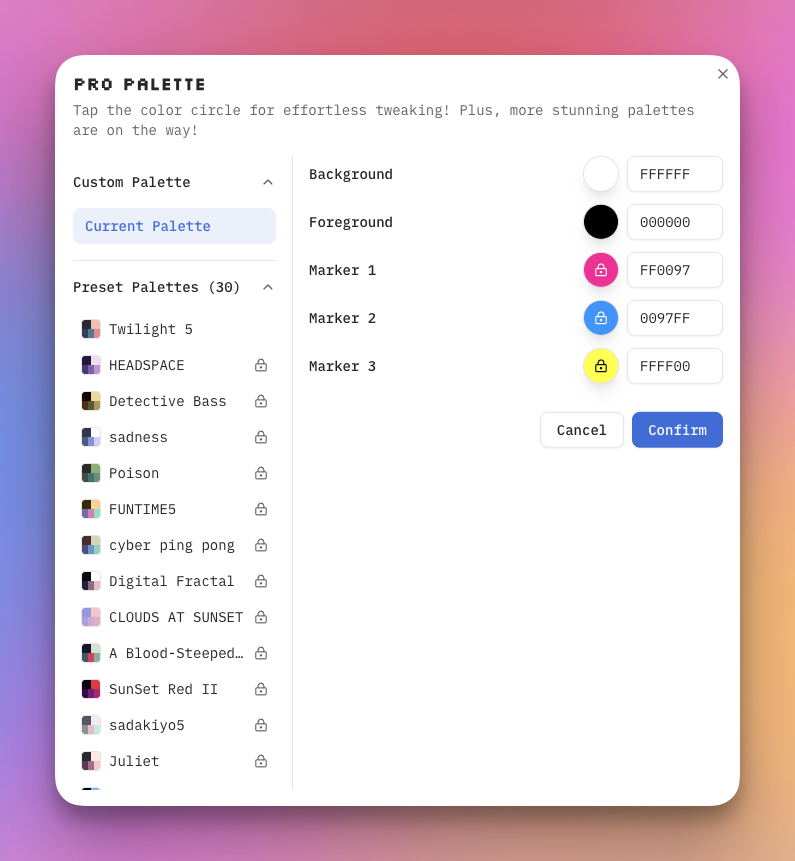
While the free options are a great starting point, the Pro Palette is the ultimate solution for artists who demand complete creative freedom. It’s the official, easy, and powerful answer to the “more colors” problem, eliminating the need for complicated and unsupported workarounds. The Pro Palette not only gives you access to an expanded and exclusive collection of palettes but also a more intuitive and streamlined workflow that will revolutionize the way you create.
A Visual Tour of the Pro Palettes
The Pro subscription unlocks an exclusive collection of 30 premium palettes, each designed to evoke a specific mood or style. These aren’t just random color combinations; they’re carefully crafted by designers who understand color theory and visual aesthetics. Here’s an extensive look at the stunning palettes that could be at your fingertips:
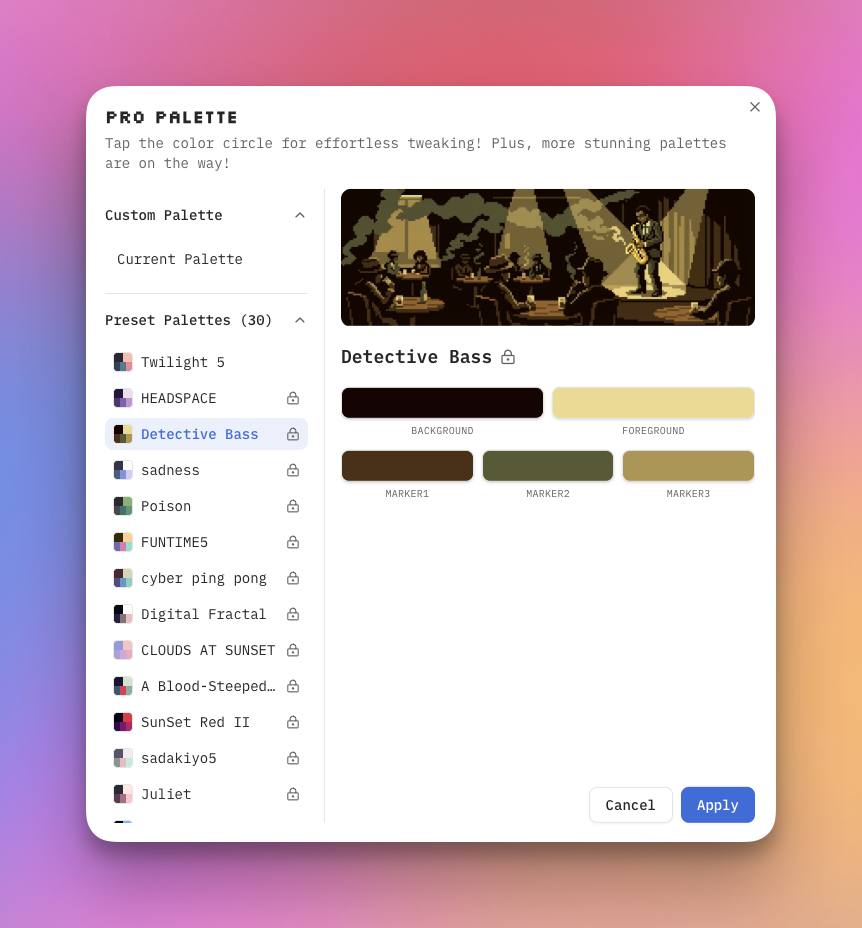
| Palette Name | Cover Image | Description |
|---|---|---|
| Poison | |
A dark, moody palette with earthy greens and muted tones, perfect for creating an atmosphere of mystery and intrigue. The subdued color scheme works beautifully for nature-inspired art or atmospheric scenes. |
| Neon Moon Tarot | 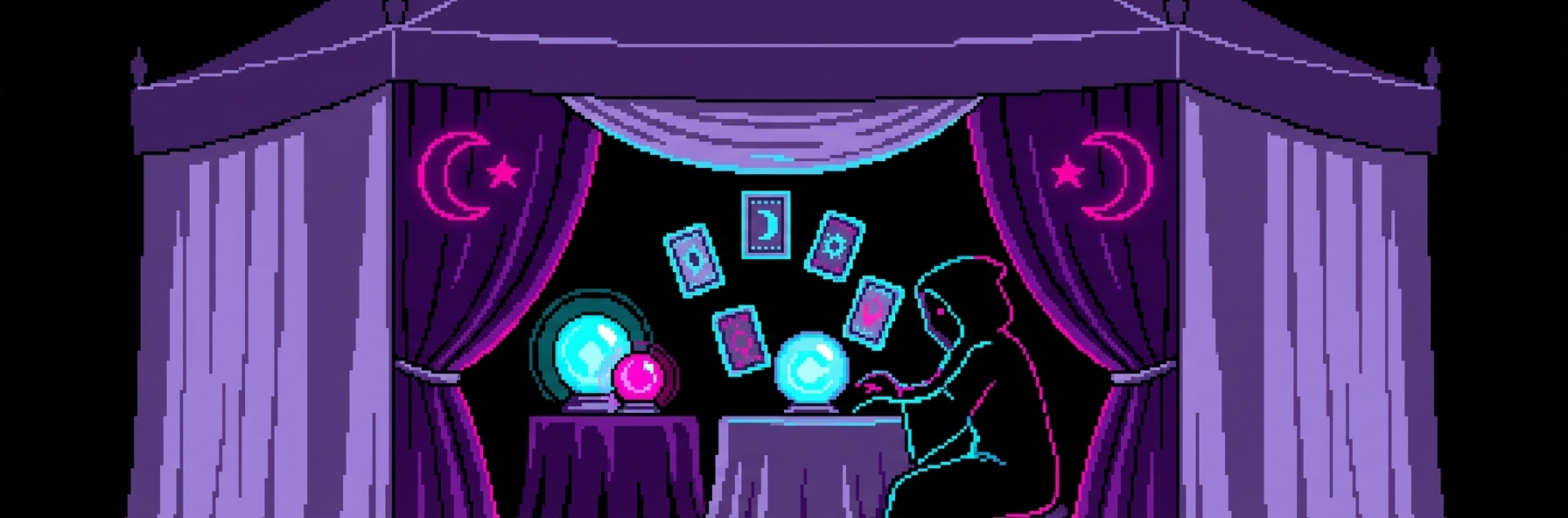 |
A vibrant, high-contrast palette with bold neon colors against a black background, ideal for creating striking, futuristic art. This palette is perfect for cyberpunk aesthetics or eye-catching social media graphics. |
| A Blood-Steeped Corridor | 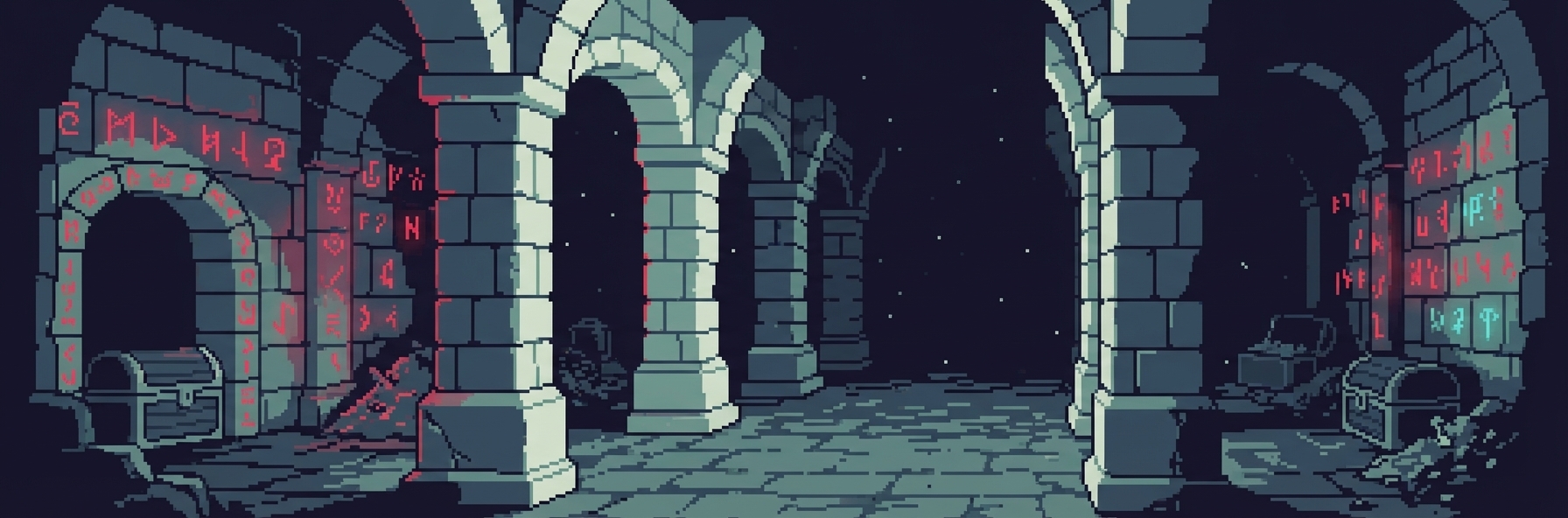 |
A dramatic and intense palette with deep reds and cool blues, perfect for creating a sense of tension and drama. The name alone evokes a story, making this ideal for narrative-driven artwork. |
| Sunset Red II | 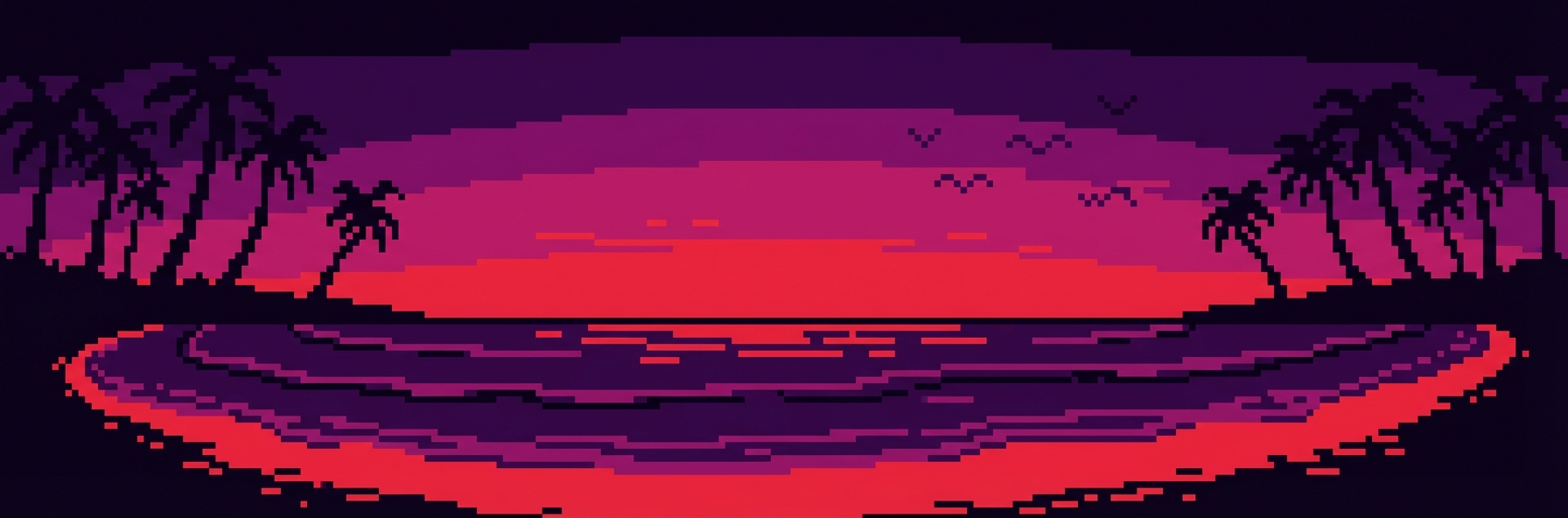 |
A fiery and passionate palette with a range of reds and purples, perfect for capturing the beauty of a dramatic sunset. The warm tones create an emotional and romantic atmosphere. |
| Digital Fractal | 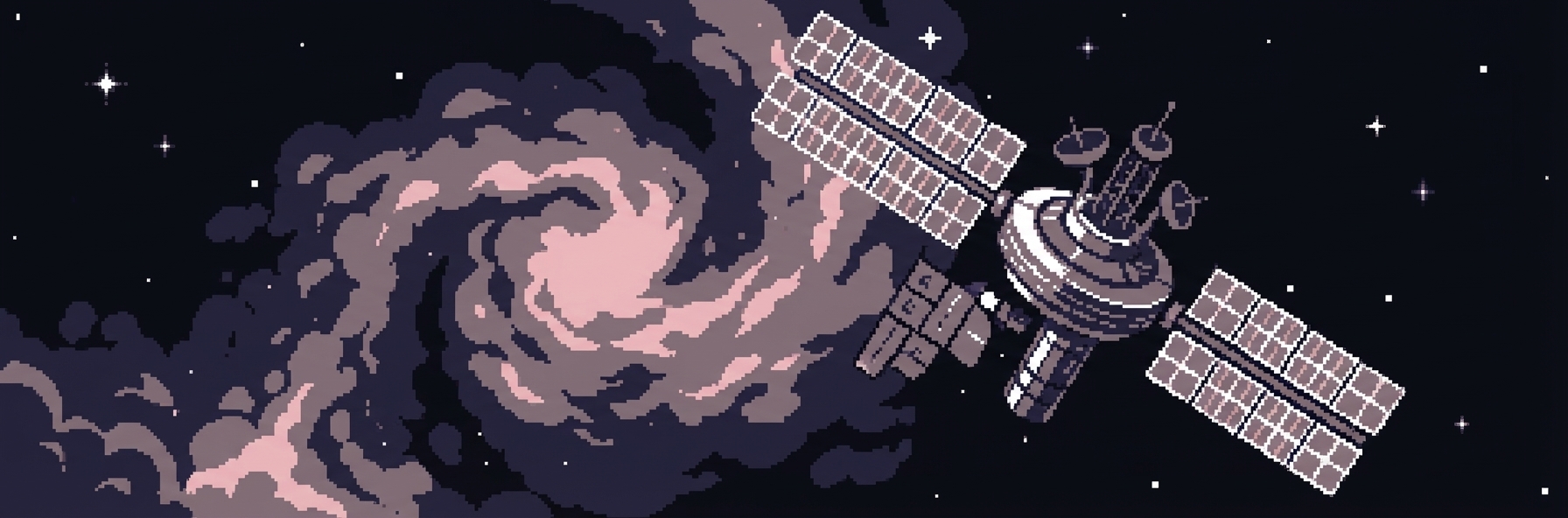 |
A clean and modern palette with a mix of cool and warm tones, ideal for creating abstract and geometric art. The balanced color scheme provides versatility for various artistic styles. |
| HEADSPACE | 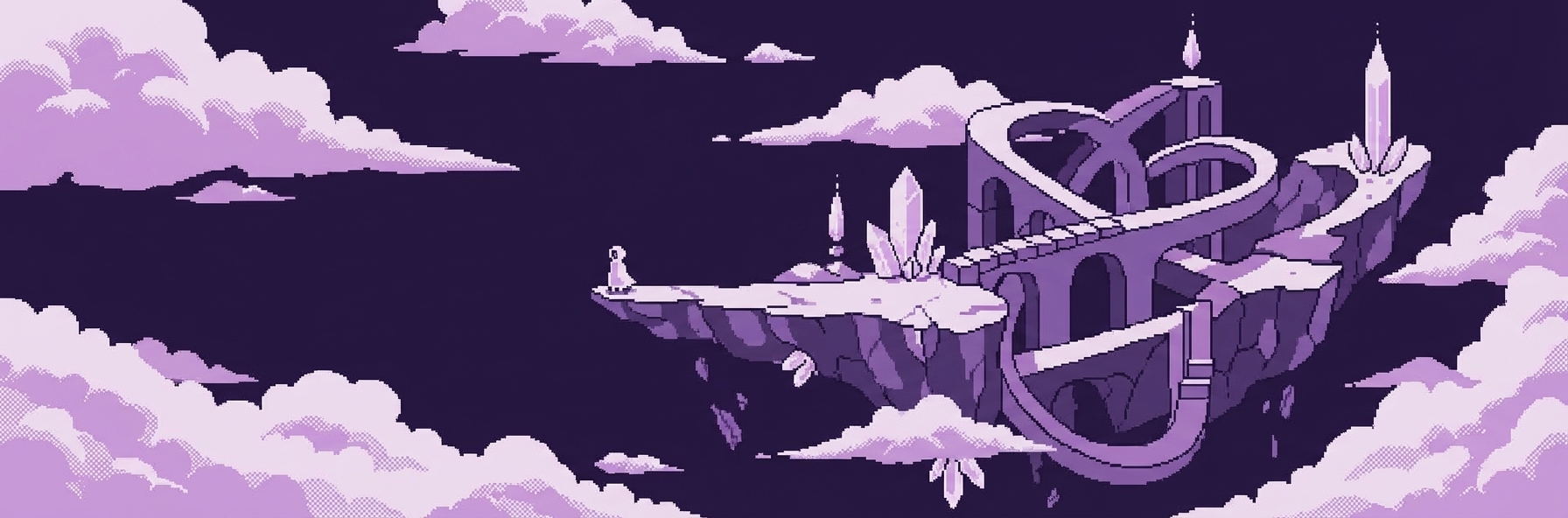 |
A dreamy and ethereal palette with soft purples and pinks, perfect for creating a sense of calm and tranquility. This palette is ideal for meditation-themed art or gentle character illustrations. |
| sadness | 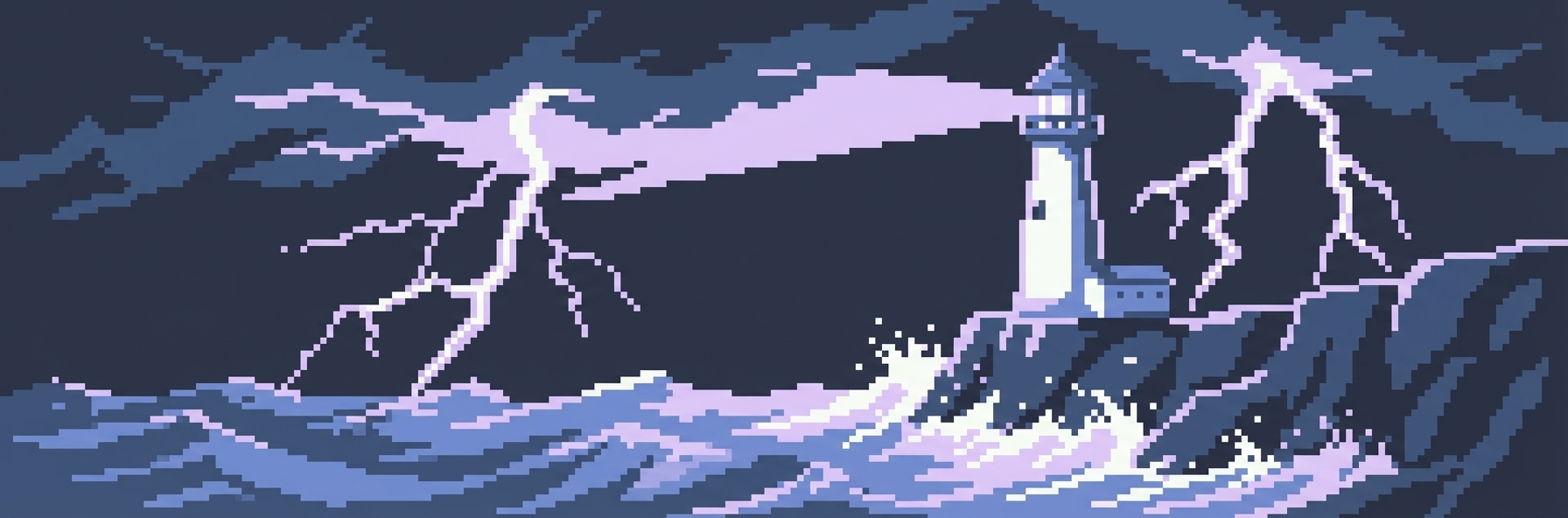 |
A melancholic palette with cool blues and purples, designed to evoke feelings of introspection and quiet contemplation. Perfect for emotional or reflective artwork. |
| FUNTIME5 | 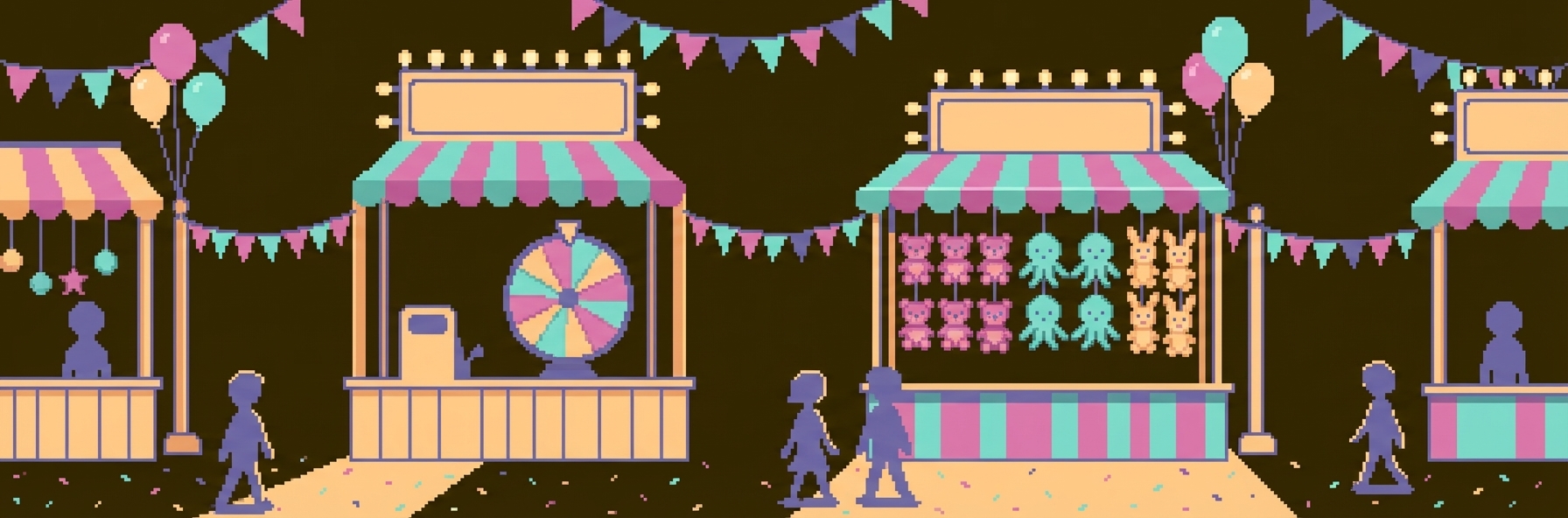 |
A playful and energetic palette with bright, saturated colors that create a sense of joy and excitement. Ideal for children’s illustrations or cheerful, upbeat designs. |
A Deep Dive into Color Theory with WigglyPaint
The Pro Palette is the perfect tool for applying color theory to your WigglyPaint creations. Understanding basic color theory principles can dramatically improve the visual impact of your artwork. Here are a few fundamental concepts to get you started:
Complementary Colors: These are colors that are opposite each other on the color wheel (e.g., red and green, blue and orange, yellow and purple). They create a high-contrast, vibrant look that naturally draws the eye. When used together, complementary colors make each other appear more intense and vivid. This is perfect for artwork where you want to create visual excitement or make certain elements pop.
Analogous Colors: These are colors that are next to each other on the color wheel (e.g., red, orange, and yellow, or blue, blue-green, and green). They create a harmonious and pleasing look that feels cohesive and unified. Analogous color schemes are often found in nature and tend to be soothing to the eye. This approach works well for artwork where you want to create a sense of peace or natural beauty.
Triadic Colors: These are colors that are evenly spaced around the color wheel (e.g., red, yellow, and blue, or orange, green, and purple). They create a balanced and vibrant look that offers both harmony and contrast. Triadic schemes tend to be quite vibrant, even when using pale or unsaturated versions of the hues. This is an excellent choice for artwork that needs to be both eye-catching and balanced.
With the Pro Palette’s custom color picker, you can easily create palettes based on these principles, giving your artwork a more professional and polished look. The color circle interface makes it intuitive to identify complementary, analogous, and triadic relationships, allowing you to experiment with different color harmonies quickly and efficiently.
From Frustration to Creation: A Pro Palette Masterclass
The Pro Palette is more than just a collection of presets; it’s a complete color management system. The intuitive color circle picker allows you to visually select any color you can imagine, while the custom palette feature lets you save and manage your own unique color schemes. This is perfect for artists who want to maintain a consistent style across multiple projects or for those who simply want to experiment with their own color combinations.
Here’s a detailed, step-by-step tutorial on how to create a custom palette for a fan art character:
Step 1: Find Your Character’s Colors Find a reference image of the character you want to draw. Use an online color picker tool (like ImageColorPicker.com or the eyedropper tool in your browser’s developer tools) to extract the hex codes for their main colors. You’ll want to identify:
- Skin tone or base color
- Hair color
- Primary clothing color
- Secondary clothing color
- Any accent colors
Step 2: Open the Pro Palette Click on the palette icon in the WigglyPaint interface to open the Pro Palette menu. You’ll see the color circle picker and your current palette swatches.
Step 3: Select a Color to Edit Click on any of the color swatches (Background, Foreground, or Markers 1-3) to activate the color picker for that swatch.
Step 4: Enter the Hex Code In the hex code input field, paste the hex code for your character’s first color. You’ll see the color circle picker automatically adjust to show that color. You can also fine-tune the color by clicking on the color circle or adjusting the brightness slider.
Step 5: Repeat for All Colors Repeat the process for all of your character’s main colors, assigning them to the different swatches. A typical setup might be:
- Background: A neutral color that complements the character
- Foreground: The character’s primary color (e.g., skin tone)
- Marker 1: Hair color
- Marker 2: Primary clothing color
- Marker 3: Accent or secondary color
Step 6: Save Your Palette Once you’ve entered all the colors, you can save the palette with a descriptive name, like “Spider-Man Fan Art” or “Sailor Moon Palette.” This palette will be saved to your Custom Palette section, where you can access it anytime for future drawings.
Now you have a custom palette that you can use for all of your fan art of that character, ensuring that your colors are always accurate and consistent! This workflow is also perfect for brand work, where color consistency is crucial, or for creating a signature style that you can apply across multiple pieces.
Frequently Asked Questions (FAQ)
Can I mix colors in WigglyPaint?
Currently, WigglyPaint does not support color mixing in the traditional sense (i.e., drawing a yellow line over a blue line to create green). As one user noted on YouTube, “It doesn’t mix… I was hoping it would mix.” However, you can create the illusion of mixed colors by using different colored lines close together, a technique known as optical mixing or pointillism. You can also use the hex code feature to manually create the mixed color you want and add it to your palette.
How do I add more colors without upgrading?
As we’ve covered extensively in this guide, the best way to add more colors for free is by using the hexadecimal color code feature in the OPTIONS menu. This gives you access to millions of colors, even in the free version. While it requires a bit more manual work than the Pro Palette, it’s a powerful solution that addresses the core limitation.
Are there any other benefits to the Pro plan?
Yes! In addition to the Pro Palette with its 30 exclusive presets and advanced color picker, the Pro plan also includes:
- Unlimited project storage (vs. 3 projects for free users)
- Keep projects forever (vs. 7-day retention for free users)
- Access your projects on any device
- Priority support and feedback
- All future premium features as they’re released
What’s the difference between the 27 free palettes and the 30 Pro palettes?
The free version gives you access to 27 preset palettes through the OPTIONS menu, which is already a generous selection. The Pro version unlocks 30 additional exclusive palettes and, more importantly, provides a much more sophisticated interface for managing and creating custom palettes. The Pro Palette interface includes the visual color circle picker, which makes color selection much more intuitive than manually entering hex codes.
Your Art, Your Colors
With WigglyPaint, you’re no longer confined to a limited palette. By mastering the hidden features of the free version and embracing the power of the Pro Palette, you can unlock a world of creative possibilities. Whether you’re a casual doodler looking to add a little more flair to your creations or a professional artist seeking a powerful and intuitive tool, WigglyPaint has the features you need to bring your vision to life in full, vibrant color.
The journey from frustration to creation doesn’t have to be complicated. Start by exploring the 27 free preset palettes to find color schemes that inspire you. Experiment with hex codes to achieve precise color matching for your projects. And when you’re ready to take your art to the next level, the Pro Palette awaits with its exclusive collection of professionally designed palettes and intuitive color management tools.
So go ahead, explore the palettes, experiment with custom colors, and let your creativity run wild. Your colorful journey awaits, and the only limit is your imagination!