
Wigglypaint Cloud Storage: Save & Sync Your Drawings Across Devices
Never lose your art again! Wigglypaint Cloud Storage is live. Securely save & sync drawings across PC, iPad & mobile. Free or Pro plans available. Try it now!
We’re excited to announce that Wigglypaint Cloud Storage is officially live!
Starting today, every stroke you make can be safely stored in the cloud. Pick up your creative work anytime, anywhere.
Why We Built Cloud Storage
Since Wigglypaint launched, we’ve received countless messages through our feedback page from creators sharing their frustrations:
“I spent an hour on a drawing, accidentally closed the browser, and it was gone…”
“I can only export GIFs. There’s no way to save my project and keep editing it.”
“I started something on my computer and wanted to continue on my tablet. Not possible.”
We get it. Having your creative flow interrupted like that is incredibly frustrating. After some urgent team discussions, we made cloud storage our top priority and put all hands on deck.
Those problems? They’re history now.
Three Things Cloud Storage Does for You
1. Your Work Is Safe
Close your browser? Switch tabs? Computer crashes? Don’t worry. Once you save your project, it’s safely stored on our servers. You can always get it back.
2. Edit Whenever You Want
Saved projects can be loaded back anytime for further editing. Feel inspired? Start drawing. Need a break? Save and come back later. Your creative rhythm, your rules.
3. Work Across All Your Devices
Start sketching on your PC, refine the details on your iPad, or take a quick look on your phone. Your project files are always within reach, no matter what device you’re using.
How to Use Cloud Storage
Step 1: Save Your Project to the Cloud
We’ve added a new toolbar below the drawing canvas. It’s clean and stays out of your way, but it’s right there when you need it.
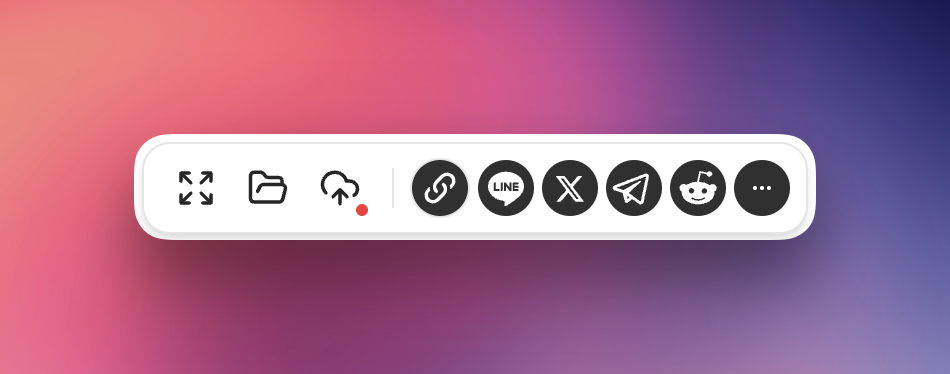
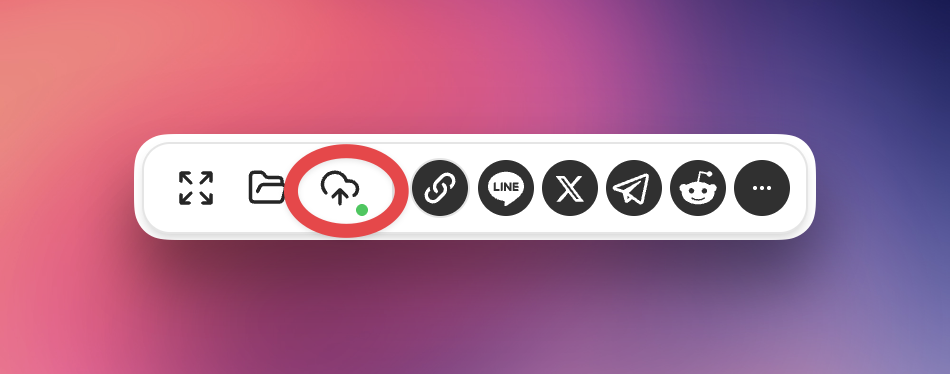
See that cloud icon? That’s your “Save to Cloud” button.
- Red dot = Project not saved yet
- Green dot = Project synced to the cloud
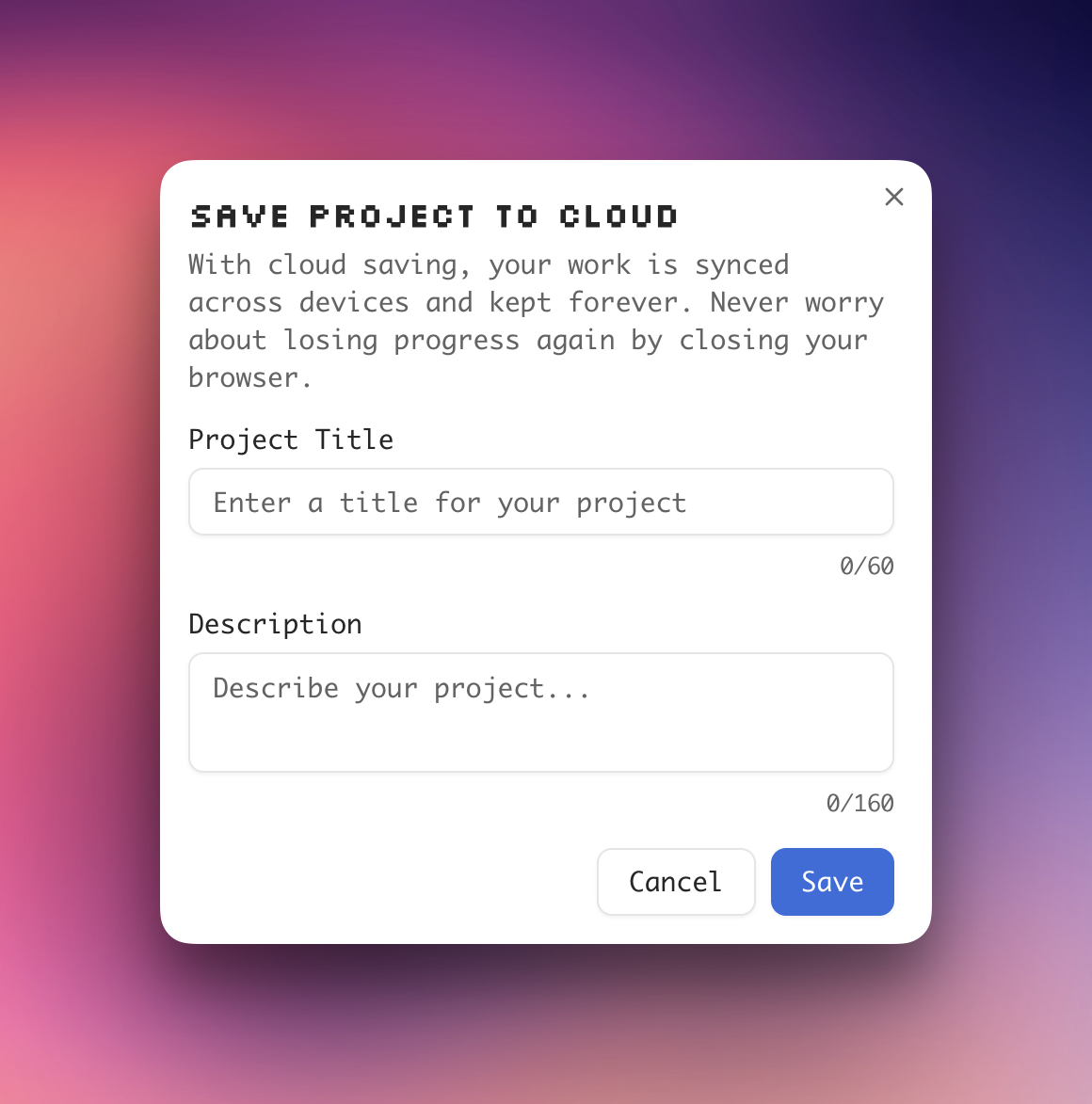
The first time you save, you’ll be asked to log in and give your project a name. After that, just click the button again and your project updates automatically. No forms to fill out.
Step 2: Load a Project from the Cloud
The folder icon in the toolbar opens your cloud projects.
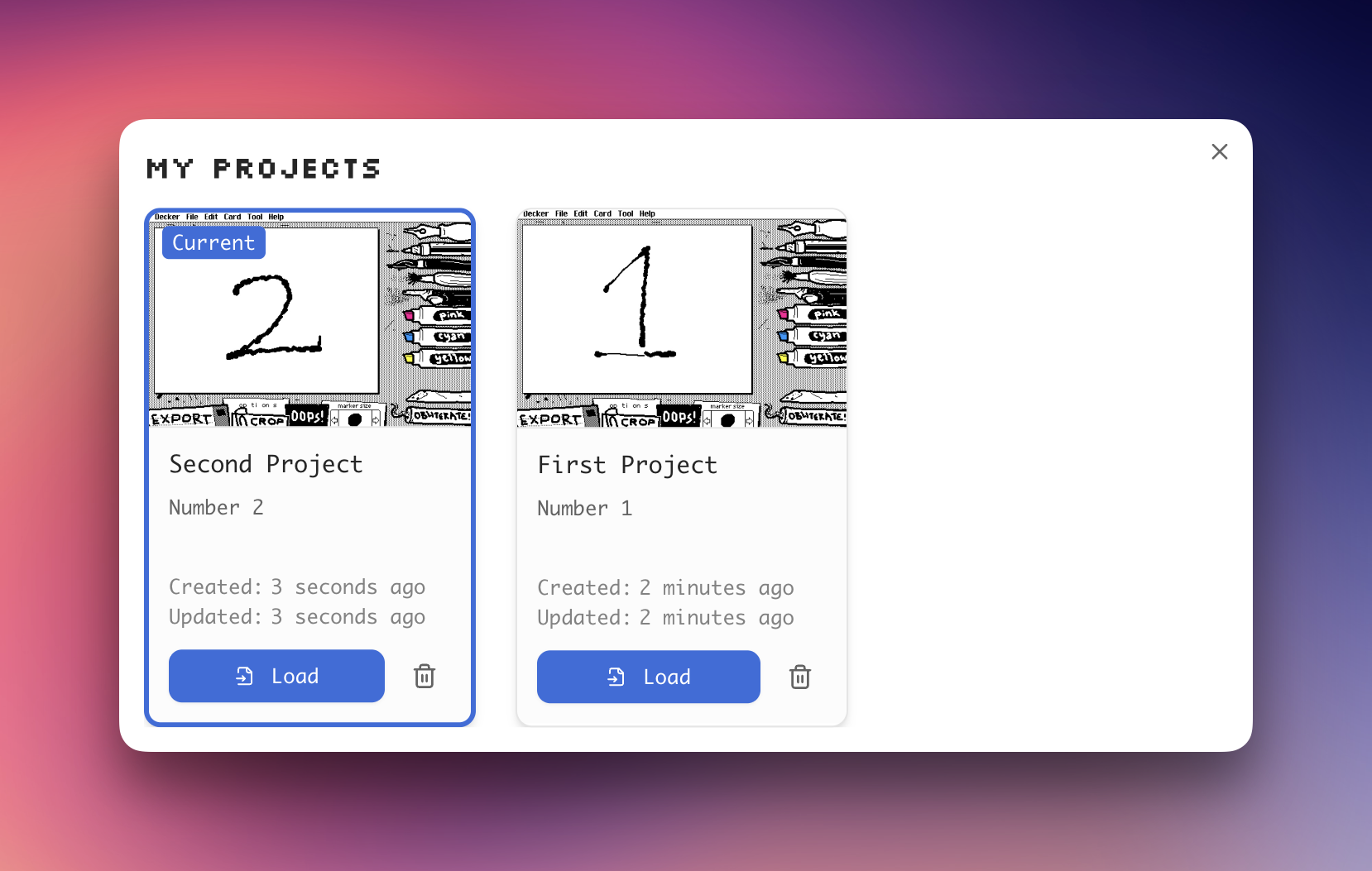
You’ll see all your saved projects listed there:
- Click Load to bring a project back to your canvas
- Click Delete to remove a project from the cloud
💡 Quick tip: Save your current work before loading a different project. Otherwise, it will be overwritten!
Bonus: Multi-Step Undo Support
Speaking of fixing mistakes…
While Cloud Storage protects your files from being lost, we also want to protect your art from accidental strokes. That’s why we’ve upgraded our undo system!
Previously, you could only toggle between a single undo and redo. Now, you can:
- Undo up to 5 steps — Made a few mistakes? No problem. Step back through your recent actions one by one.
- Redo with confidence — Changed your mind? Redo any undone steps just as easily.
Better Together: Undo + Cloud Storage
When combined with cloud storage, the multi-step undo feature becomes even more powerful:
- Experiment freely — Try bold strokes knowing you can undo them, and save your progress when satisfied.
- Work across sessions — Save your project, close the browser, and pick up right where you left off.
- Never lose your best work — Use undo to perfect your creation, then save it permanently to the cloud.
This combination gives you complete control over your creative process.
Is My Data Safe?
Absolutely.
- All project data is encrypted during transfer and storage
- Your projects are visible only to you
- Nobody, not even us, can view or download your private work
- Everything is hosted on reliable cloud infrastructure
You can trust us with your creative work.
Choose Your Plan
| Feature | Free Plan | Pro Plan |
|---|---|---|
| Cloud projects | Up to 3 | Unlimited |
| Project validity | 7 days (can be extended) | Permanent |
| Sync across devices | ✅ | ✅ |
| Encrypted storage | ✅ | ✅ |
| Future premium features | ❌ | ✅ |
Free Plan: Give It a Try
Great for casual creators. You can save up to 3 projects for free. Each project stays active for 7 days after creation. Update your project before it expires to extend the period.
Pro Plan: Create Without Limits
Built for frequent creators and collectors. Enjoy unlimited project storage, keep your work forever, and get early access to upcoming features:
- 🎨 Multiple brush colors for richer creative expression
- ⏰ Auto save so you never lose work again
- 🔗 Shareable project links to show friends what you’ve made
- And more on the way…
👉 See Pro Plan pricing and details
Start Your Cloud Creative Journey
Whether you’re new here and want to give it a shot, or you’re a longtime user ready for an upgrade, now’s the perfect time:
Questions or suggestions? Reach out through our feedback page.
Thanks for being part of the Wigglypaint community. You make this all worthwhile!